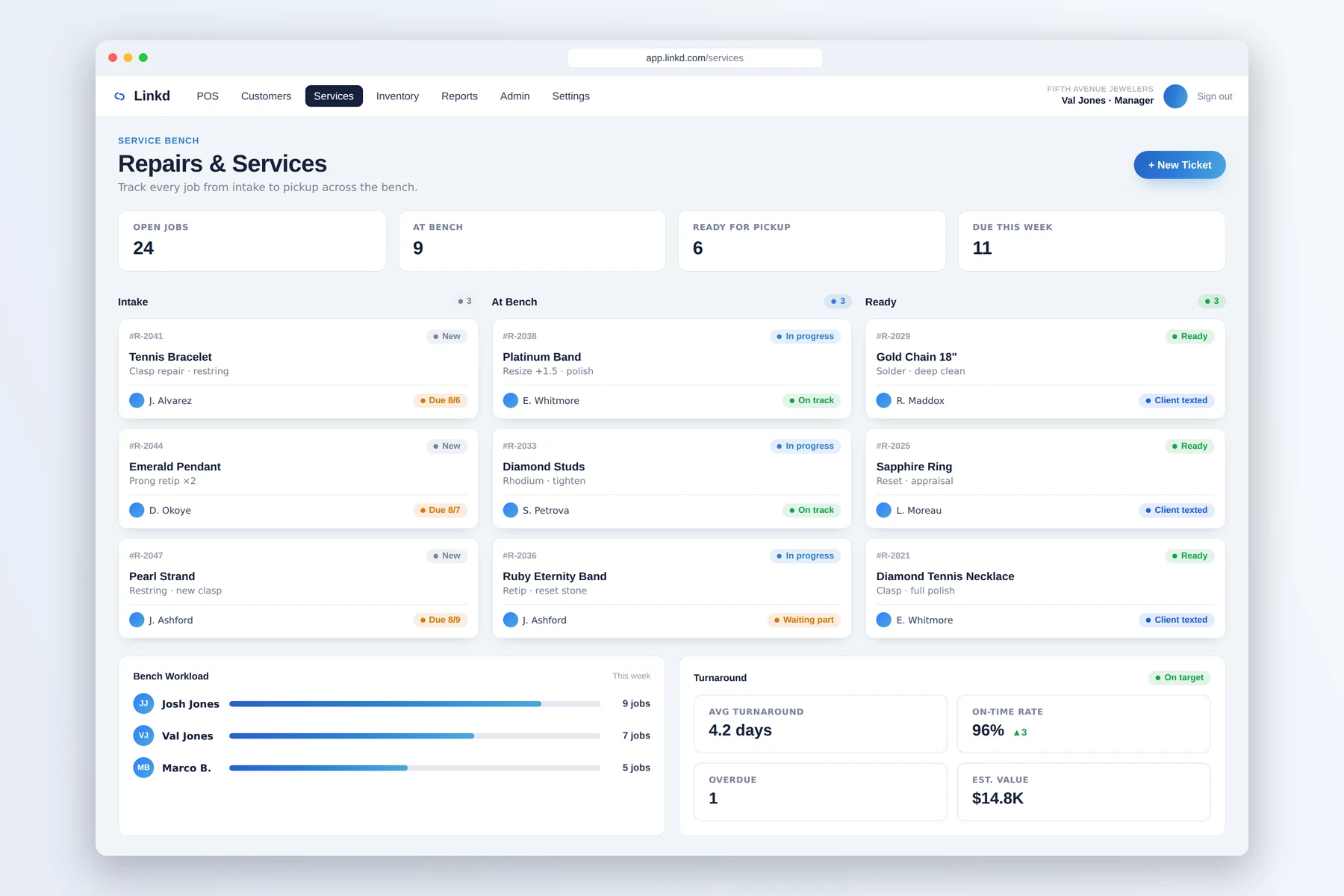
01 / Bench
See every job and its next step
The service board shows which jobs are at intake, on the bench, ready, or waiting for pickup.

Jewelry repair intake
Document the piece, collect a deposit, assign the work, and keep the customer informed without moving the job to a separate system.
From intake to pickup
The service board shows which jobs are at intake, on the bench, ready, or waiting for pickup.
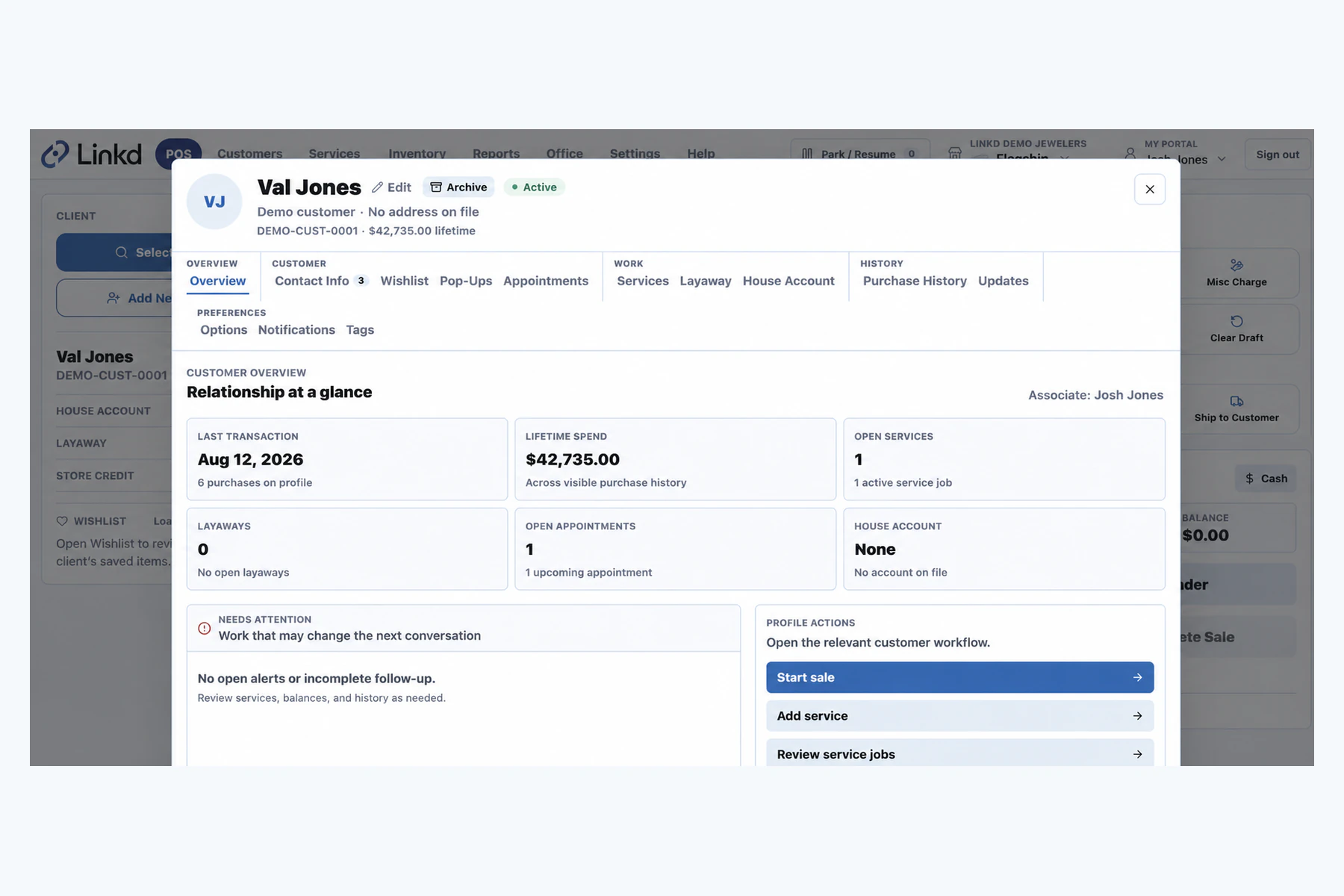
Associates can return to the customer record when they need contact, account, or service details.
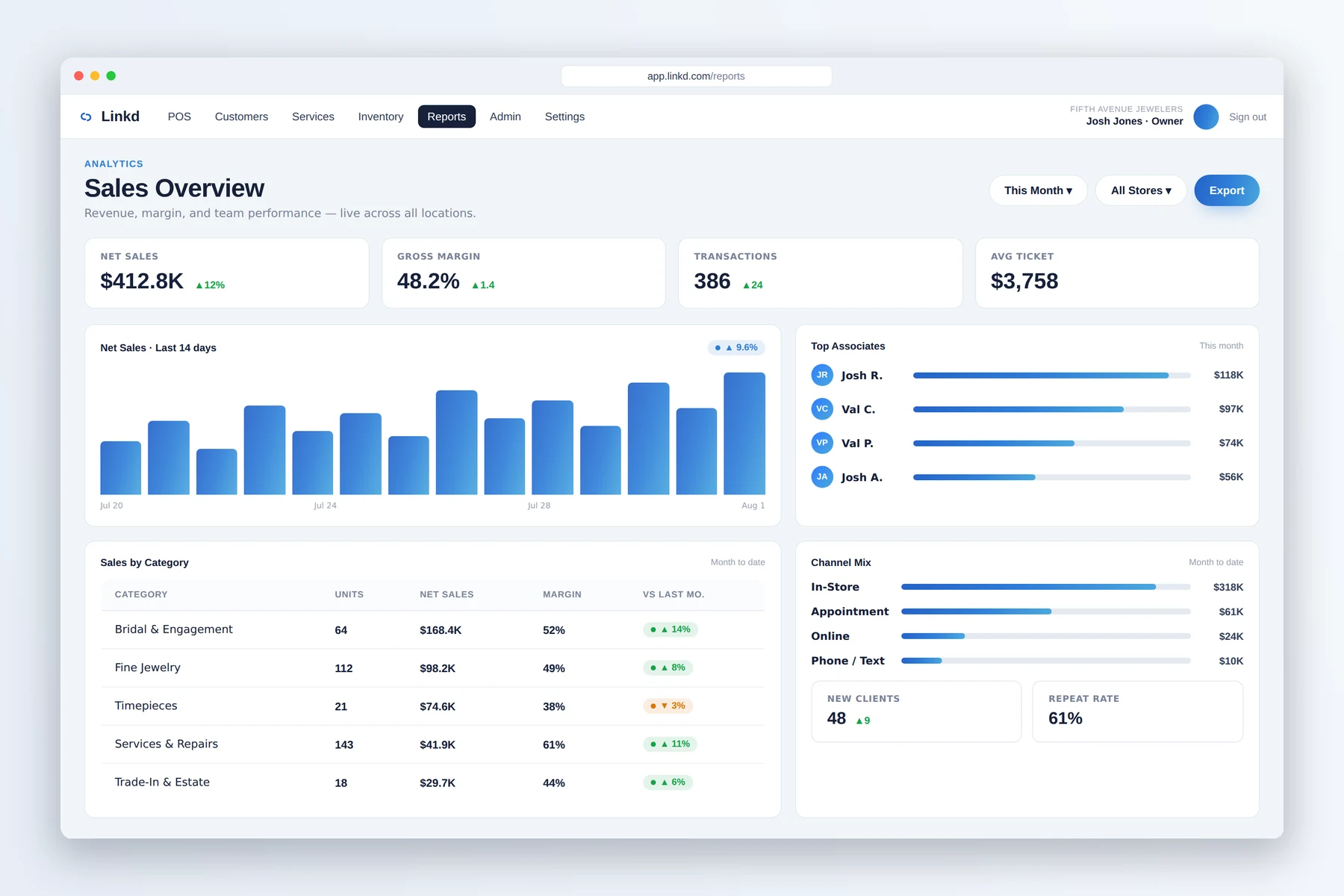
Managers can use Linkd reporting alongside the service board to review the day.
What changes for your team
Start repairs, appraisals, and custom jobs at the counter with the customer and piece already attached.
Keep status, deposits, item references, due dates, and notes together so another associate can pick up the job.
When JewelLink is connected, ready-job details can support timely client follow-up.
One job record
The repair starts at the counter, moves through the service board, and remains easy to find when the customer calls or returns.
Add photos, notes, due dates, customer details, and any deposit at the counter.
The team can see the current status, owner, and next step without asking for the intake details again.
Completion, payment, and pickup stay available on the customer and service records.
Quick answers
Yes. Linkd keeps repair intake, appraisals, custom work, deposits, notes, and status close to the customer and POS record.
When JewelLink is connected, service status and customer details can support reminders, follow-up, and associate outreach.
Book a demo
Tell us about your store. We will show you the counter, the case, and the back office.