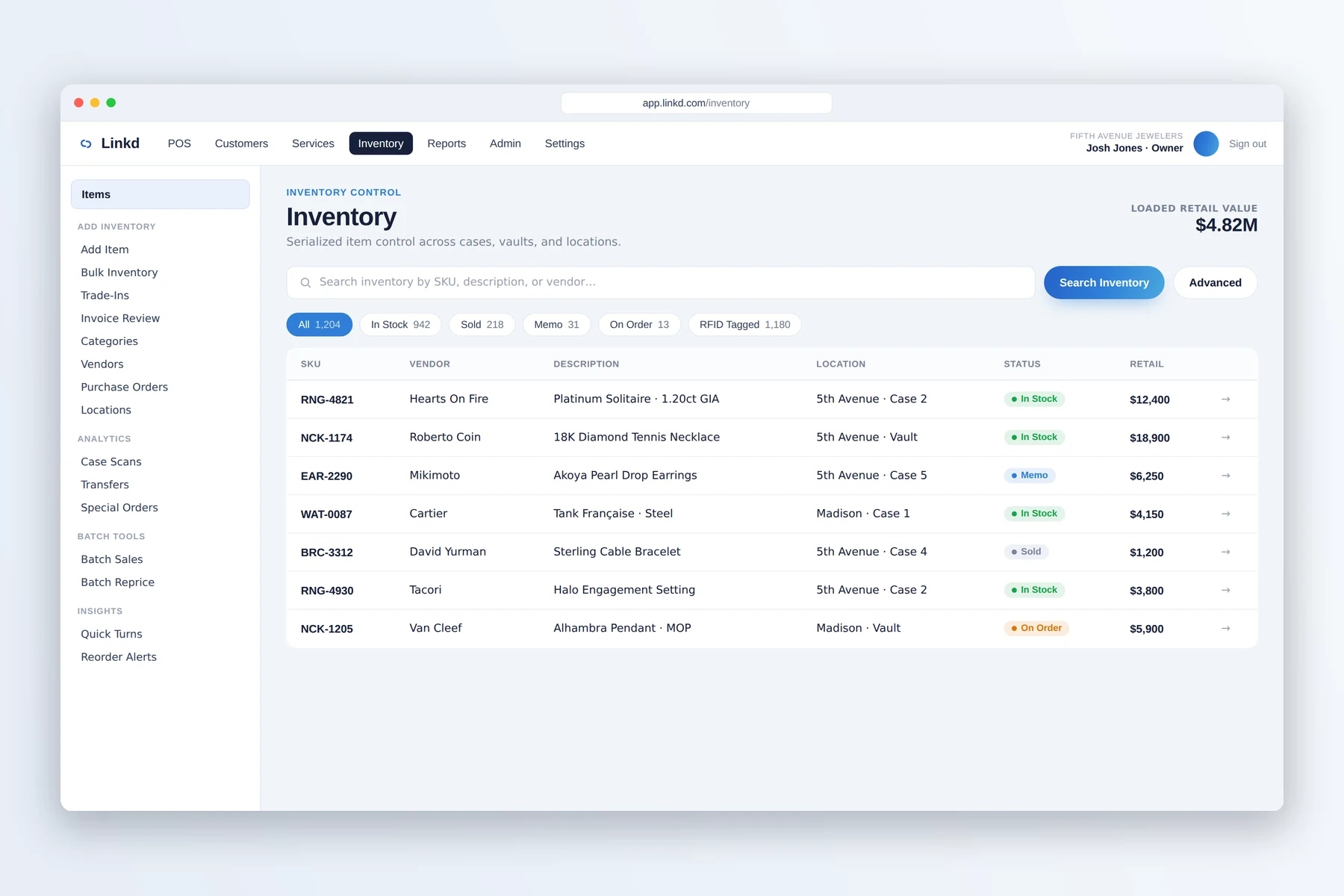
01 / Search
Find the exact piece
Search serialized inventory and check its location, status, vendor, and value.

Jewelry inventory management
Find serialized items, record receiving and transfers, review aging, and keep movement history with each piece.
From receiving to the case
Search serialized inventory and check its location, status, vendor, and value.
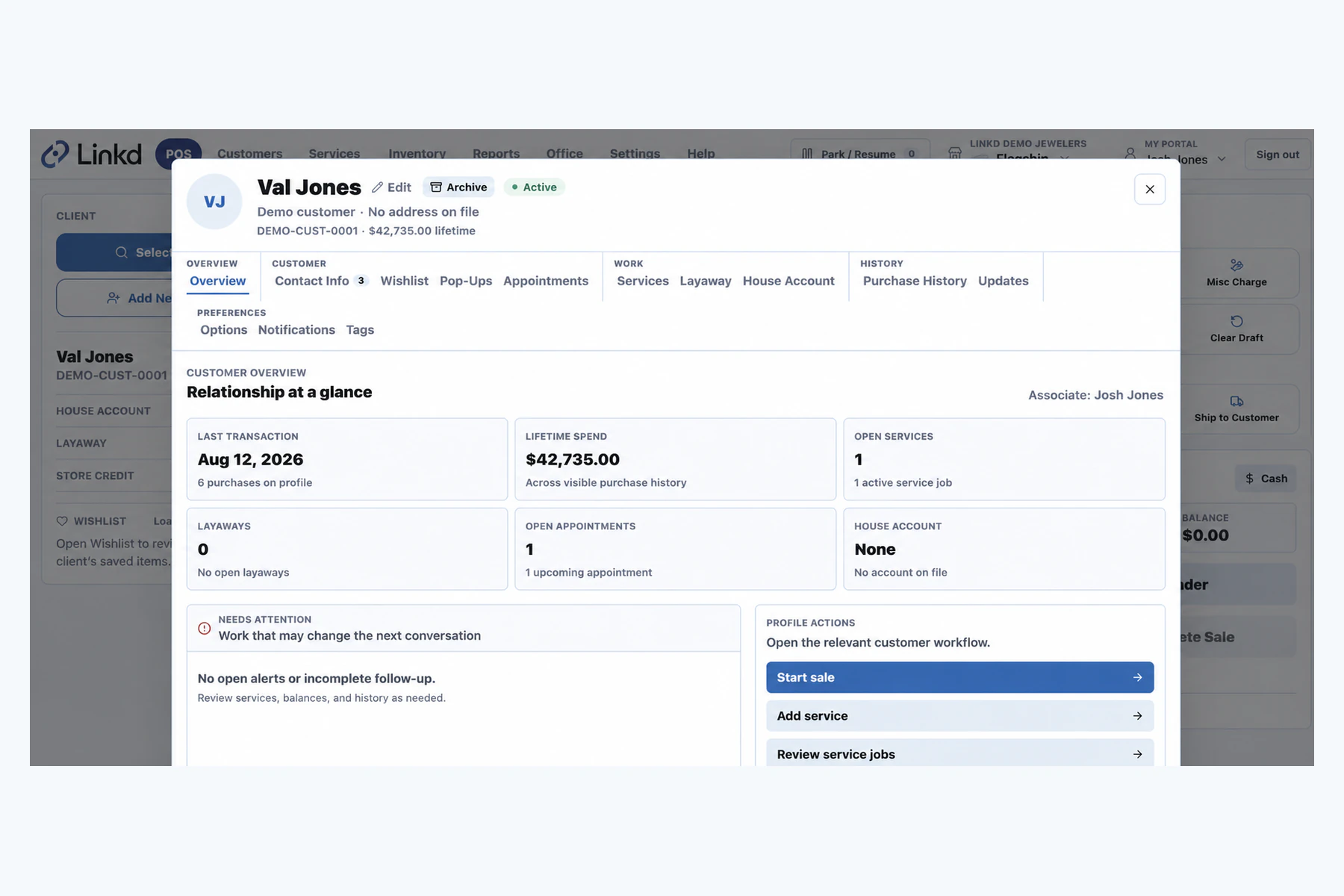
When a piece is tied to a sale, the customer workspace keeps the relationship easy to find.
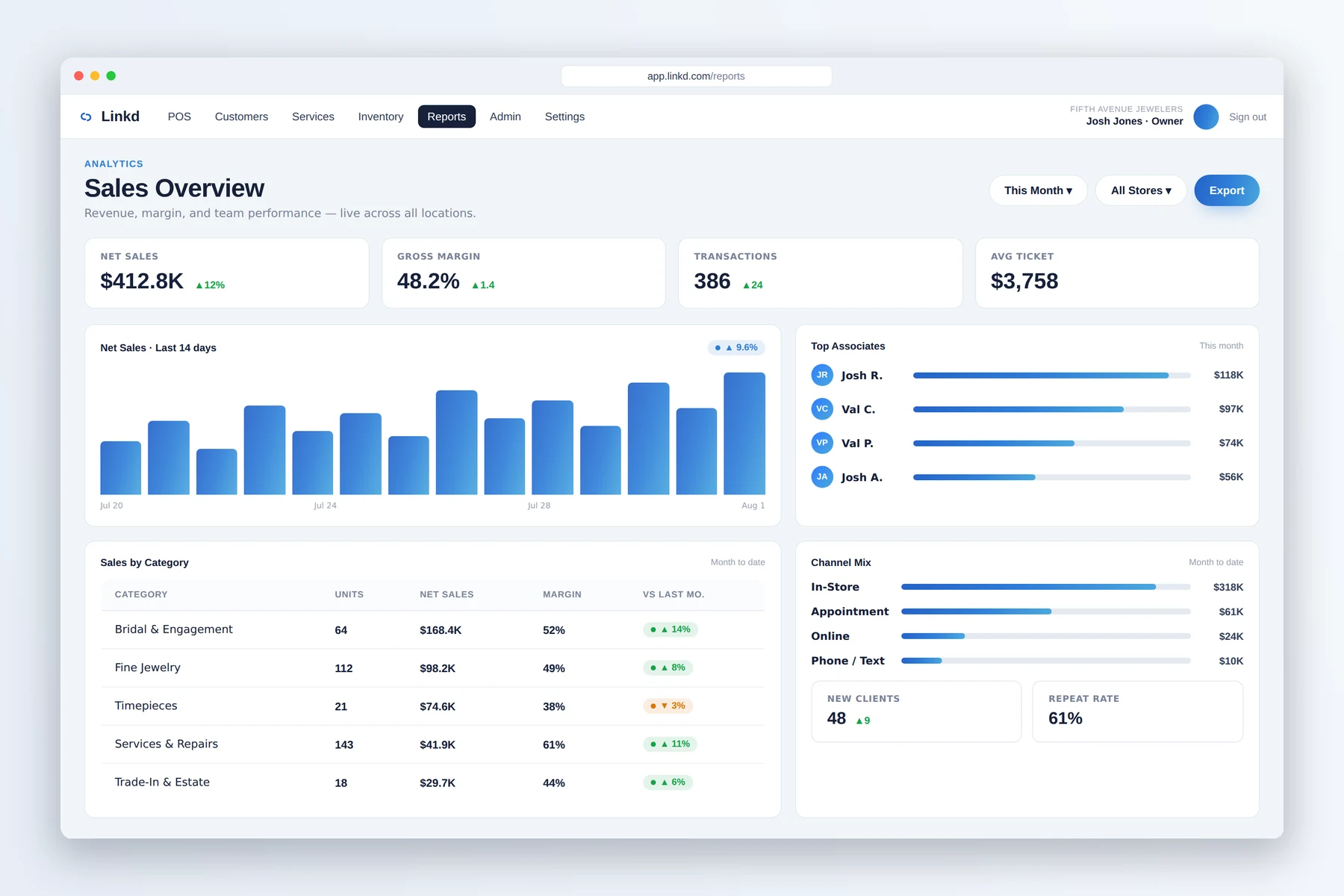
Use reporting to identify inventory questions that need a closer look.
What your team can do
Give each serialized item a searchable record with its location, movement, vendor, and status.
Log receiving, multi-store transfers, and vault movement when each action happens.
Use aging and movement history to spot records that need attention before review time.
When an item moves
Receiving, transfers, location changes, and sales stay with the serialized item. Optional analytics connections can use that history alongside store performance data.
Capture the serial number, vendor, cost, price, and starting location when the piece arrives.
Transfers and vault or case movement add to the item's history instead of replacing it.
Managers can review location, aging, status, and movement when a piece needs attention.
Quick answers
Yes. Linkd supports serialized item lookup, movement history, transfers, receiving, aging, and vendor details.
Linkd keeps item movement and register activity available for review. When CountRetail is connected, store intelligence can add another source of context.
Book a demo
Tell us about your store. We will show you the counter, the case, and the back office.